About this User Manual
User Manuals: Right PDF Pro 7 (macOS)
This user guide is composed of a series of topics, explaining the different ways you can work on PDF documents with Right PDF Pro. Follow this guide to start familiarizing yourself with the rich functionality Right PDF offers.
This manual applies to the latest software version: Right PDF Pro 7 (macOS)
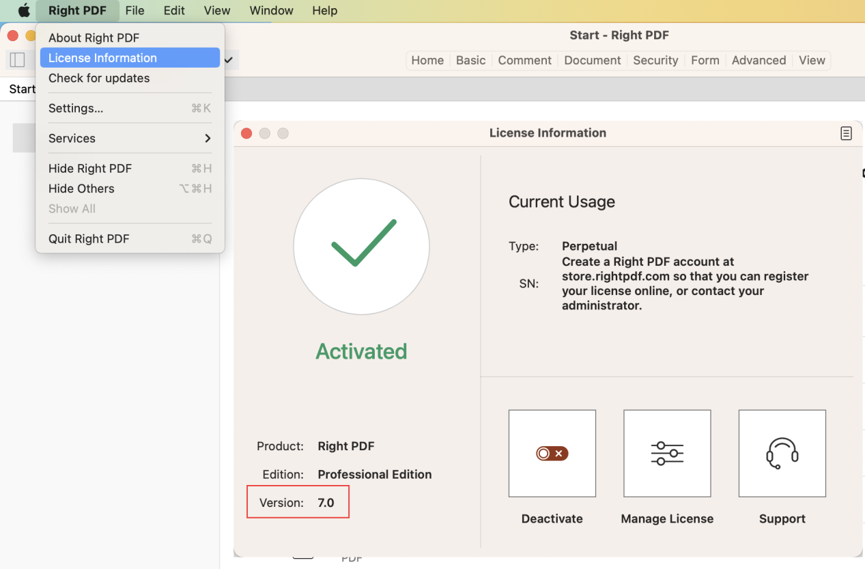
How to Check Your Software Version
Run Right PDF. Go to "Menu Bar" and choose "Right PDF > License Information." In the "License Information" window, check the "Version" number to find out which version you are using.
Download the old manual


